Bespoke Editor Customization: Using Copilot to Build a VS Code Extension in Minutes
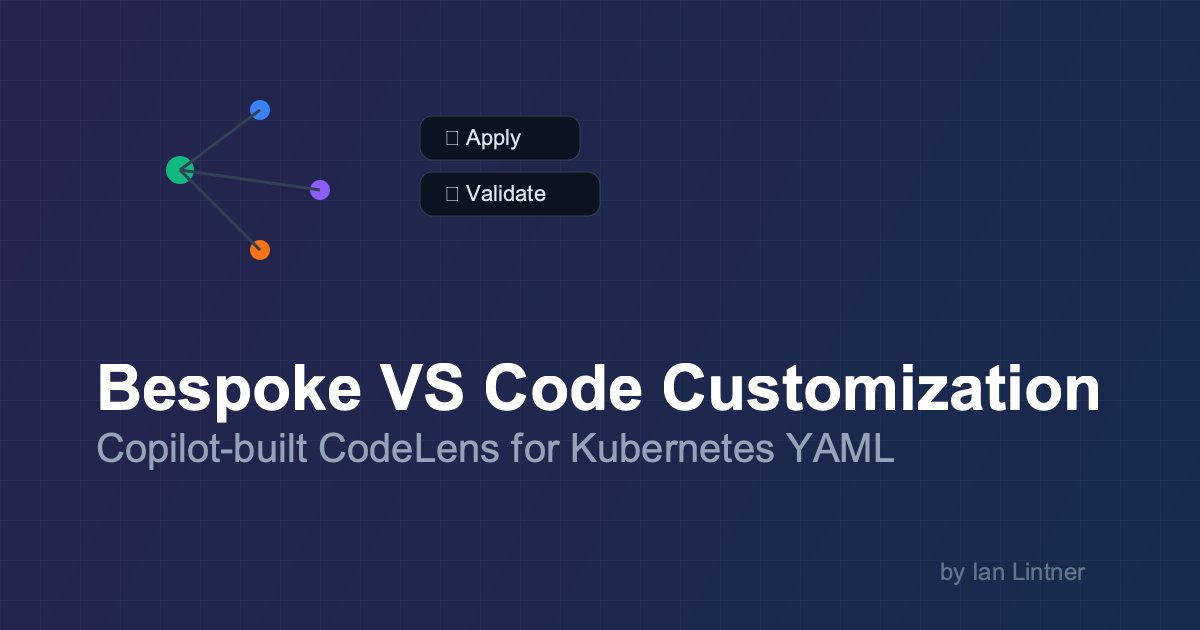
Bespoke Editor Customization: Using Copilot to Build a VS Code Extension in Minutes
I spend an embarrassing amount of my life staring at Kubernetes YAML.
And if you do too, you know the pain pattern:
- open a manifest
- realize you need to validate it
- pop to a terminal
- remember which kube context you’re in
- run a command
- copy/paste or re-run with flags
- go back to the file
- repeat until your coffee is cold
None of that is hard. It’s just… a thousand tiny cuts.
So I did the most reasonable thing a platform engineer can do: I made my editor obey.
🎯 TL;DR for Busy Engineers
Instead of memorizing “the right” kubectl incantation and re-running it 30
times a day, I used Copilot to generate a small VS Code extension (TypeScript)
that:
- adds CodeLens buttons in YAML: ▶ Apply and ✓ Validate
- adds right‑click menus (editor + explorer) for apply/validate
- supports Kustomize (build/apply) when a
kustomization.yamlis present - pipes everything into a dedicated Output Channel (with notifications)
- is safe-ish by design: runs CLI via
execFile(not a shell), and relies on your existing kubeconfig
Repo (code + CI + docs):
Docs site:
🧠 The “bespoke editor” mindset
VS Code isn’t “just an editor” anymore. It’s a programmable workbench.
The trick is to stop asking:
“Which extension does this?”
…and start asking:
“What do I want one click to mean in my workflow?”
If you can describe that in plain English, Copilot can usually help you translate it into:
- commands (
contributes.commands) - menus (
contributes.menus) - configuration (
contributes.configuration) - a provider or two (in this case: CodeLens)
That’s the leap: custom ergonomics.
🔥 Why CodeLens + right‑click beats “just use the terminal”
There are two moments where I want zero friction:
- Validate (dry run) before I apply
- Apply right now, while I’m already looking at the diff
In this extension, “Validate” is literally just:
kubectl apply --dry-run=client -f <file>
And “Apply” is:
kubectl apply -f <file>
But the value isn’t the command. The value is removing the glue work:
- choosing the right file path
- remembering flags
- switching focus
- hunting down output
With CodeLens buttons, the manifest itself becomes the UI.
🧩 How it works (conceptually)
Here’s the flow when you click ▶ Apply:
graph TD
  A[Click CodeLens: Apply] --> B[Command: k8s-manifest.apply]
  B --> C[Detect + validate YAML shape]
  C --> D[Exec: kubectl apply -f <file>]
  D --> E[Output Channel + notification]
Under the hood, the extension is intentionally boring:
- parse YAML (including multi-document files)
- decide if it looks like Kubernetes (has
apiVersion,kind,metadata) - execute
kubectl/kustomize - log everything
Boring is good. Boring ships.
🧰 Configuration (aka: “make it behave the way I like”)
This is the part I care about most: I can set defaults once, and then stop thinking.
From the docs, the settings look like:
{
  "k8s-manifest.enableCodeLens": true,
  "k8s-manifest.kubectlContext": "",
  "k8s-manifest.kubectlNamespace": "",
  "k8s-manifest.dryRun": false
}
A few examples that match how people actually work:
- Always validate first: set
k8s-manifest.dryRun: trueand keep clicking Apply (it stays safe). - Pin to a namespace during an incident: set
k8s-manifest.kubectlNamespace: "prod"so you stop fat‑finger deploying todefault. - Pin to a context for a repo: set
k8s-manifest.kubectlContext: "staging"and treat it like a project-level default.
🧪 “But don’t we already have the Kubernetes extension?”
Yes—and it’s excellent.
This post isn’t “build your own because everything else is bad.” It’s the opposite:
- big extensions tend to optimize for broad audiences
- your workflow is weird
- you are allowed to optimize for your own weirdness
I wanted a very specific loop for manifests:
- CodeLens in YAML
- right-click actions exactly where my muscle memory expects
- output in one predictable place
So I built the smallest thing that does exactly that.
🏗️ The Copilot workflow: from idea → extension
The fastest way I’ve found to build these is:
- Describe the UX (not the implementation)
- Let Copilot scaffold the “VS Code extension plumbing”
- Iterate on behavior in small steps
- Add guardrails (lint/tests)
- Add docs + screenshots
- Add a publish pipeline
A prompt that works well (roughly):
- “Generate a VS Code extension in TypeScript that adds CodeLens actions to YAML files when they look like Kubernetes manifests. Provide commands for apply/validate using kubectl, add right-click menus in editor and explorer, add settings for context/namespace/dry-run, and send output to an output channel.”
Then you keep it honest by asking for:
- small diffs
- explicit command IDs
- explicit
whenclauses for menus - error handling paths (missing
kubectl, failed command, bad YAML)
Copilot is great at turning “I want a button here” into the correct VS Code contribution points.
✅ Shipping like you mean it: CI, docs, screenshots
The thing I’m happiest about isn’t the CodeLens.
It’s that the extension repo is set up like a real project:
- CI checks (compile/lint/tests)
- docs (MkDocs)
- docs deploy
- marketplace publishing workflow with guardrails
One detail I love: the publish workflow verifies that the git tag matches the
package.json version, and it can do a safe package-only dry run before it
publishes anything irreversible.
That’s the difference between:
- “a folder of scripts you’ll forget exists”
- and “a tool you can maintain without thinking too hard”
🧯 Practical notes (things that bite)
A few gotchas that are worth calling out:
- CodeLens not showing? VS Code has to recognize the file as YAML, and the
file has to look like a Kubernetes resource (
apiVersion,kind,metadata). kubectlnot found? VS Code doesn’t always inherit your shell PATH exactly the way your terminal does.- No CRD schema validation (yet). This is a CLI runner + light detection, not a full policy engine.
Still: the impact is outsized. You’re saving minutes constantly.
☕ The punchline
I generated this extension, published it, and shipped it with CI tooling, docs, and screenshots to the VS Code Marketplace over my morning.
Final statement: I built it over morning coffee and it’s as good or better than many extensions.